
100%
Offline Privacy
Smart
dictation,
any
app.
Zero
Subscription
Not just dictation. A complete voice-powered workflow with notes, tasks, AI commands, web research, and more. Works anywhere your cursor is.
-
AI
Voice
Tools for -
macOS Power Users
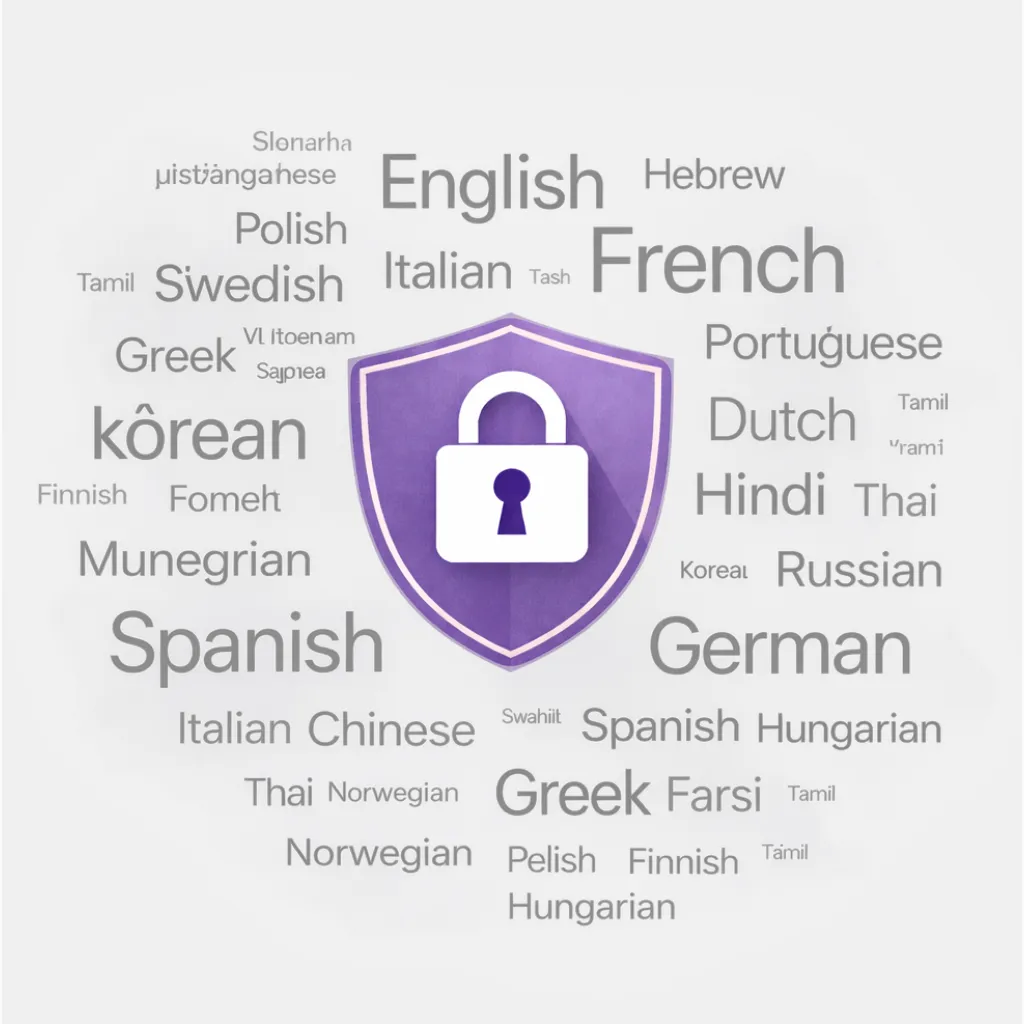
Private & Multilingual
Dictate in any of 99+ languages, entirely on your Mac. No audio ever leaves your device — browser, IDE, email, anywhere your cursor is.
Private & Multilingual
Dictate in any of 99+ languages, entirely on your Mac. No audio ever leaves your device — browser, IDE, email, anywhere your cursor is.
Private & Multilingual
Dictate in any of 99+ languages, entirely on your Mac. No audio ever leaves your device — browser, IDE, email, anywhere your cursor is.
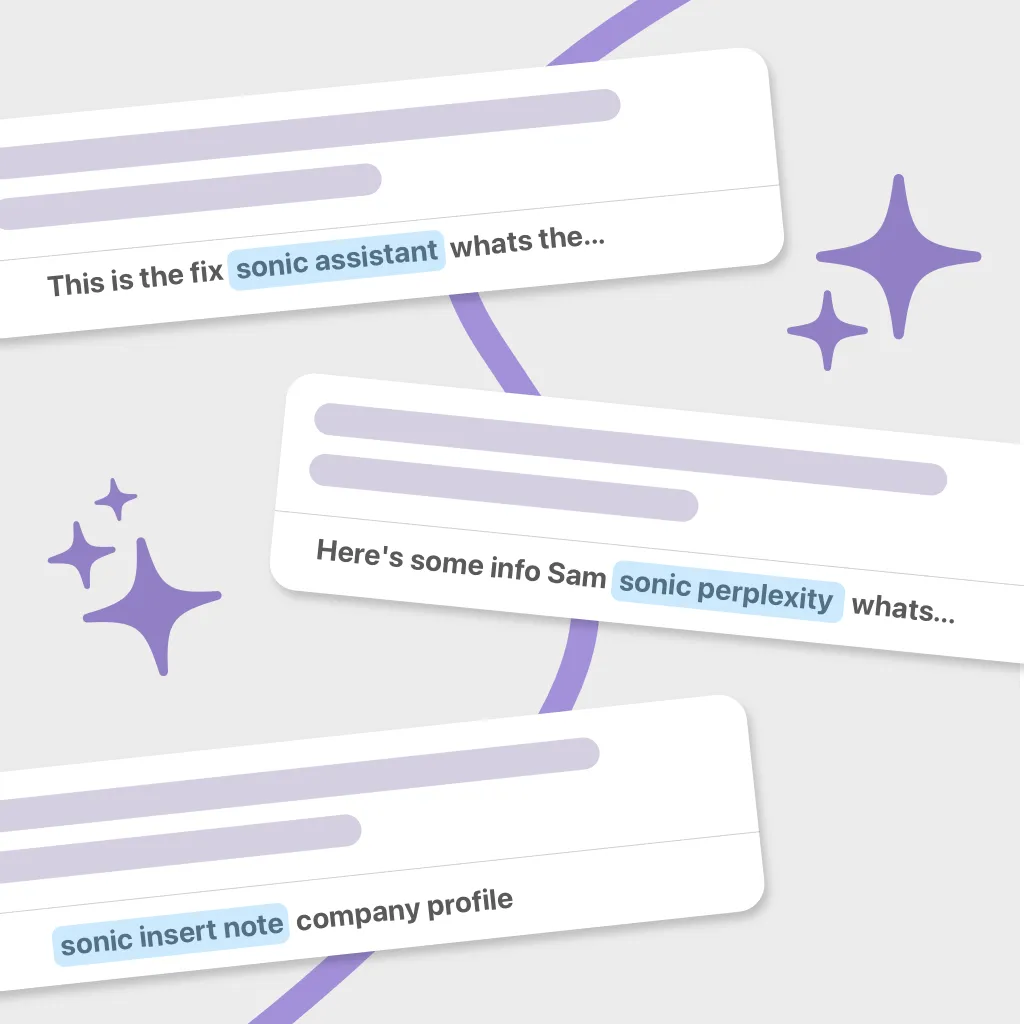
Inline AI Assistants
Ask a question or trigger an AI command without stopping. Get intelligent answers and generated content injected directly into your workflow.
Inline AI Assistants
Ask a question or trigger an AI command without stopping. Get intelligent answers and generated content injected directly into your workflow.
Inline AI Assistants
Ask a question or trigger an AI command without stopping. Get intelligent answers and generated content injected directly into your workflow.
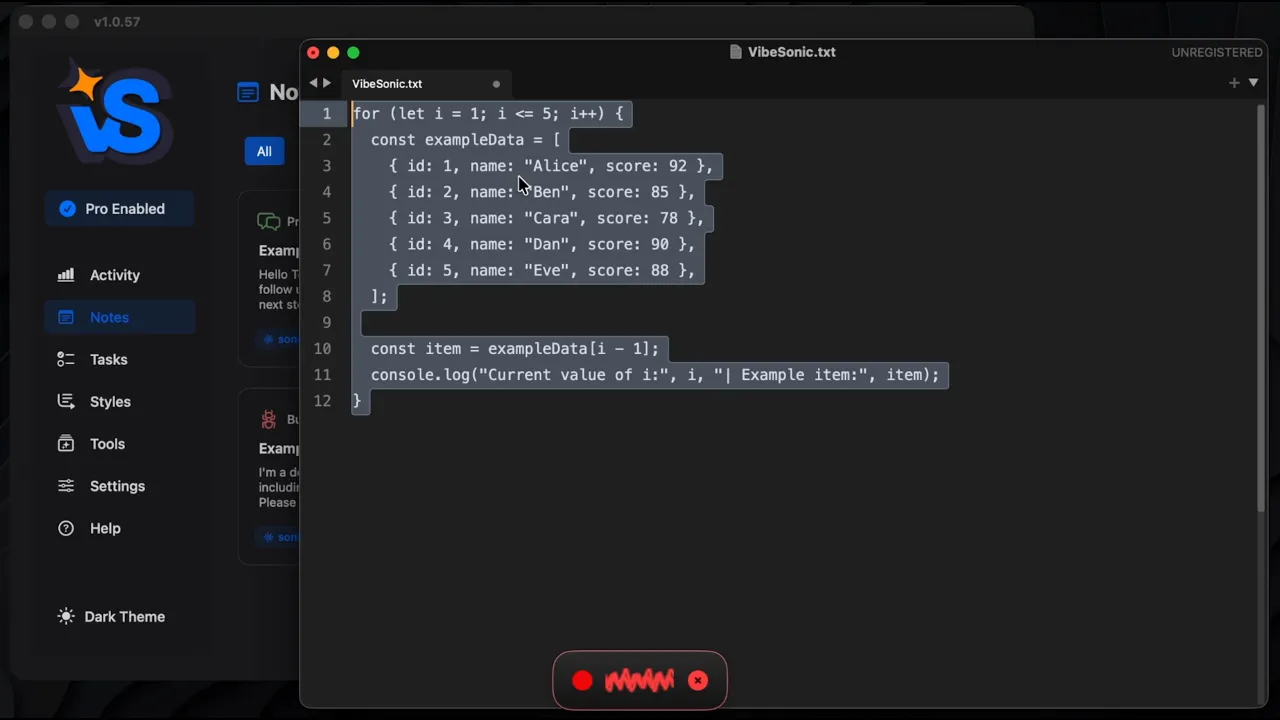
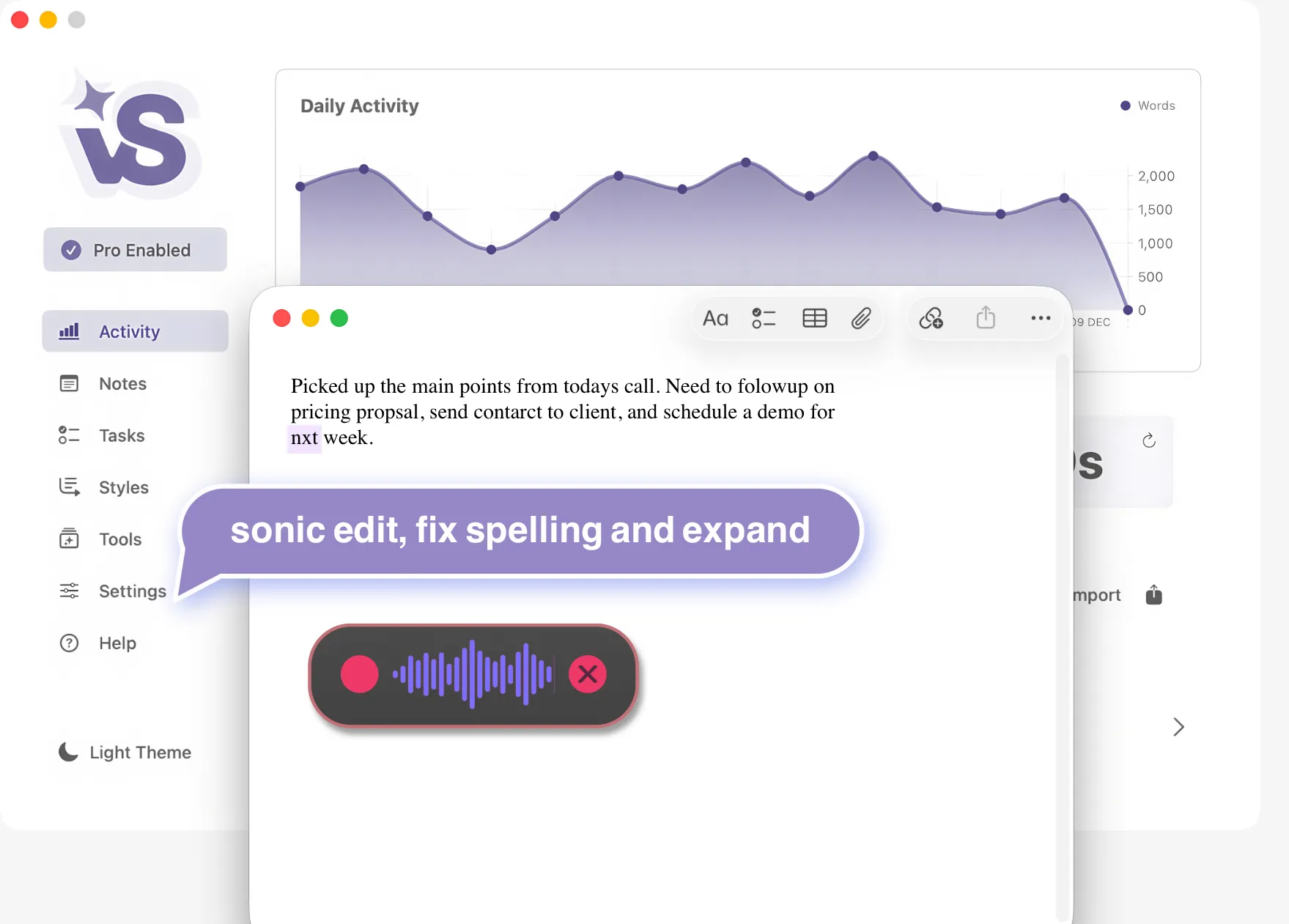
AI Edit With Voice
Highlight text and say what you want. VibeSonic rewrites, fixes, expands, or refactors it instantly — no keyboard needed.
AI Edit With Voice
Highlight text and say what you want. VibeSonic rewrites, fixes, expands, or refactors it instantly — no keyboard needed.
AI Edit With Voice
Highlight text and say what you want. VibeSonic rewrites, fixes, expands, or refactors it instantly — no keyboard needed.
Notes
Integrated AI Voice Notes
Your voice powered notes & prompts.
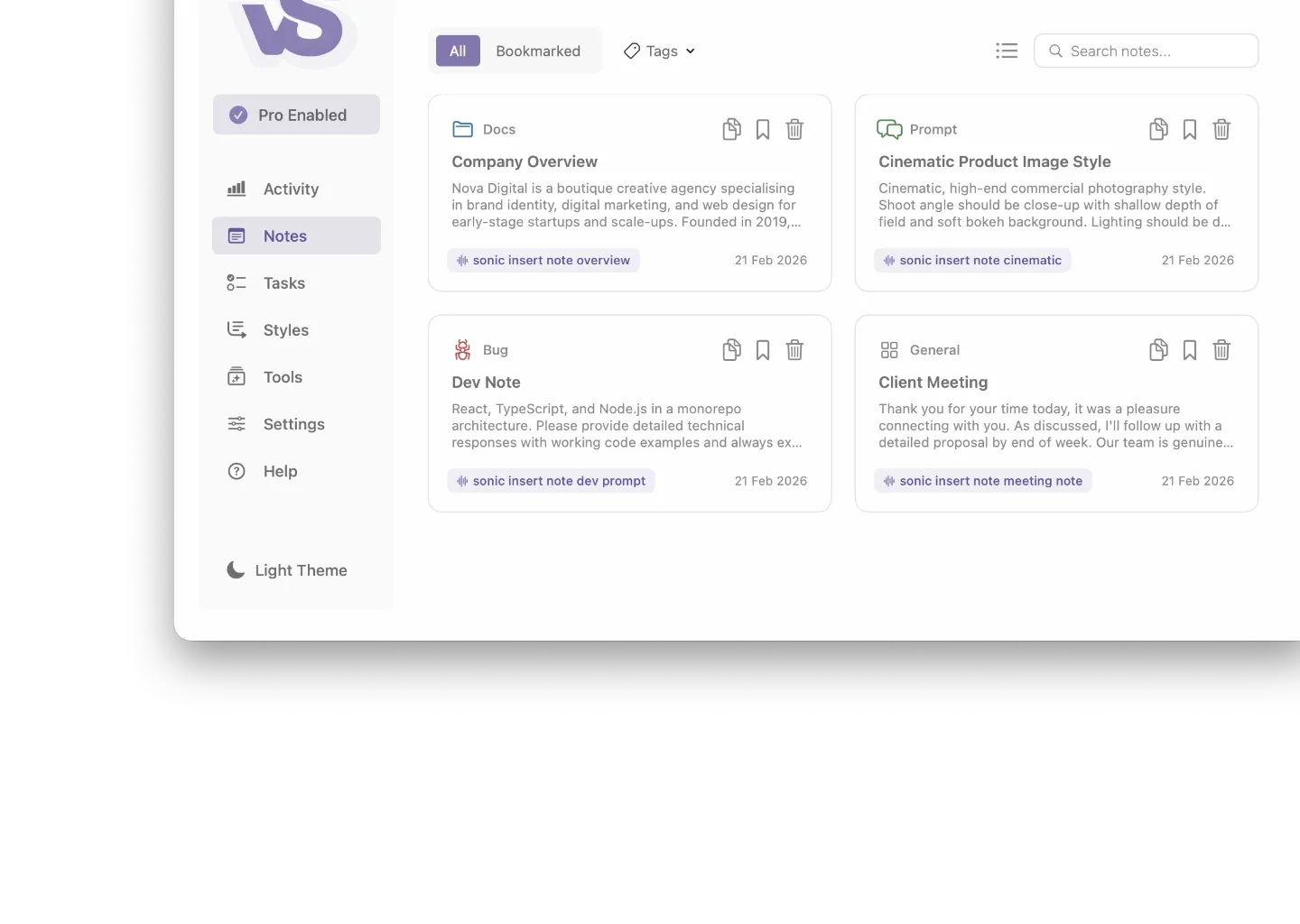
Store reusable prompts, templates, and standard text as named notes. Organise across multiple projects and inject any note mid-dictation with a single voice command — no memorising, no re-typing. AI helps you create, edit, and manage your library entirely by voice.
sonic insert note
sonic copy note
sonic create note
AI note editing
Tasks
AI Voice Workflows
Generate AI task lists. Build them into your voice workflow.
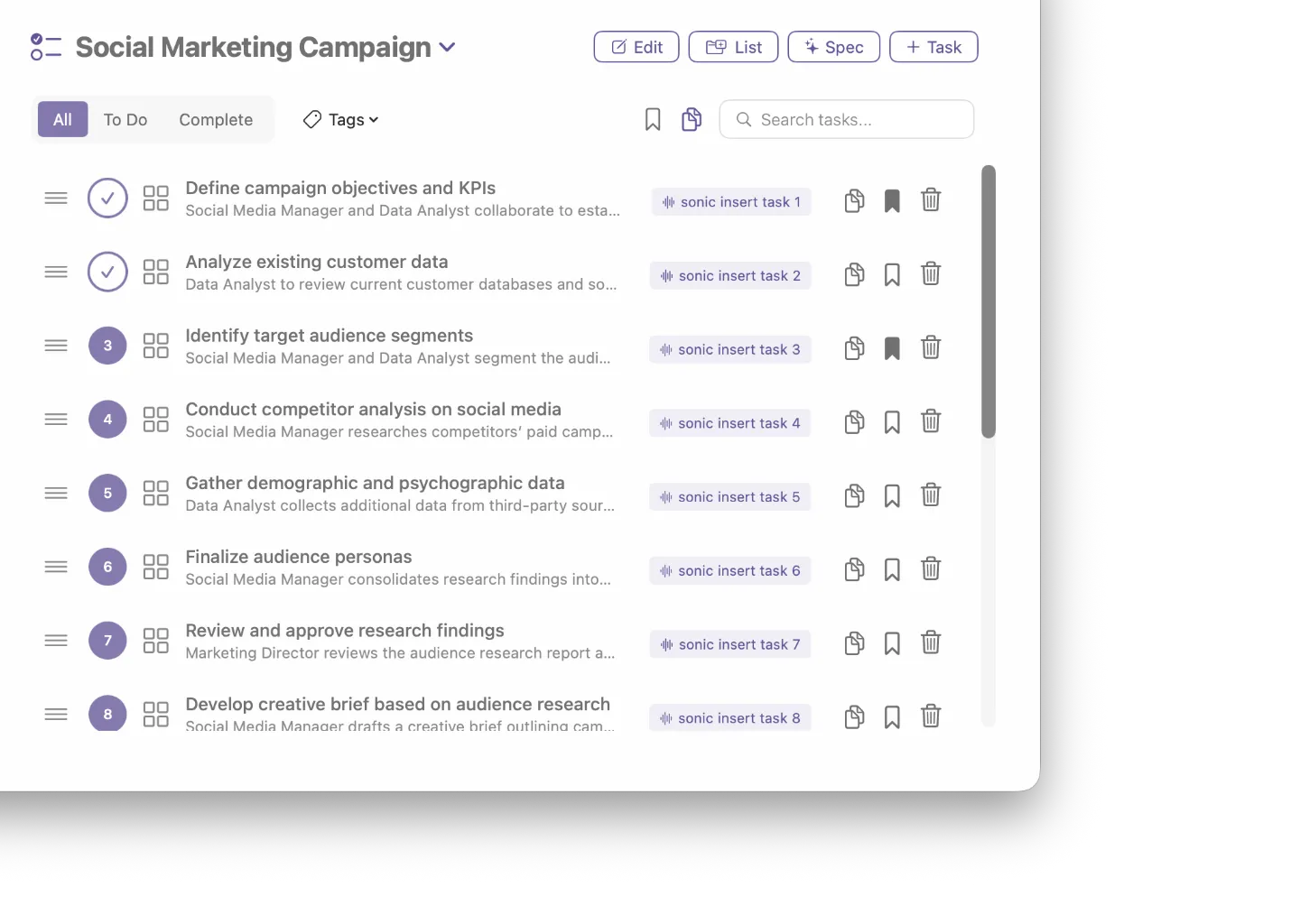
Use AI to generate task lists or create your own manually. Reference and insert any task back into your workflow by voice — AI handles titles, organisation, and tracking automatically across multiple projects.
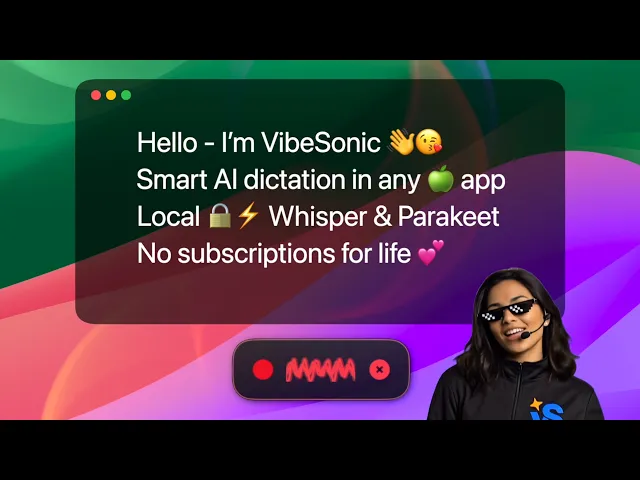
Walkthrough of Parakeet TDT delivering near real-time transcription entirely on your Mac. Plus a quick look at the tools that make VibeSonic a complete voice workflow.
Walkthrough of Parakeet TDT delivering near real-time transcription entirely on your Mac. Plus a quick look at the tools that make VibeSonic a complete voice workflow.
Walkthrough of Parakeet TDT delivering near real-time transcription entirely on your Mac. Plus a quick look at the tools that make VibeSonic a complete voice workflow.
Privacy & Performance
Local & Cloud Models
Industry-leading local models for complete privacy, plus powerful cloud models using your own API keys.
Local
Local & Private Models
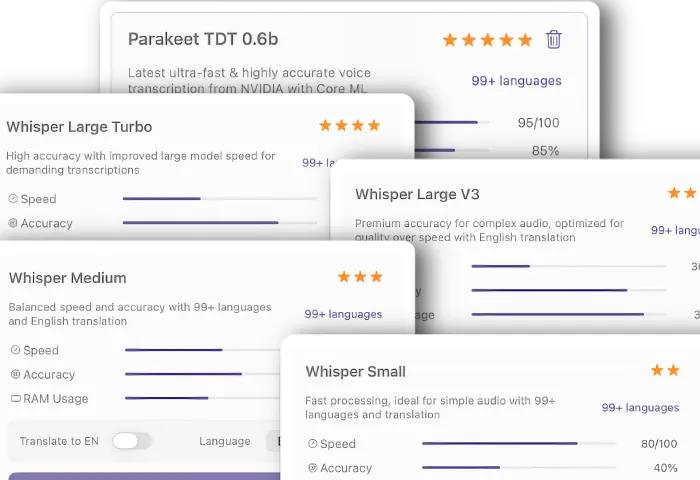
State-of-the-art on-device models that process your voice entirely on your Mac. Zero data sent anywhere, works offline, always private.
Local
Local & Private Models
State-of-the-art on-device models that process your voice entirely on your Mac. Zero data sent anywhere, works offline, always private.
Local
Local & Private Models
State-of-the-art on-device models that process your voice entirely on your Mac. Zero data sent anywhere, works offline, always private.
Cloud
Cloud Models
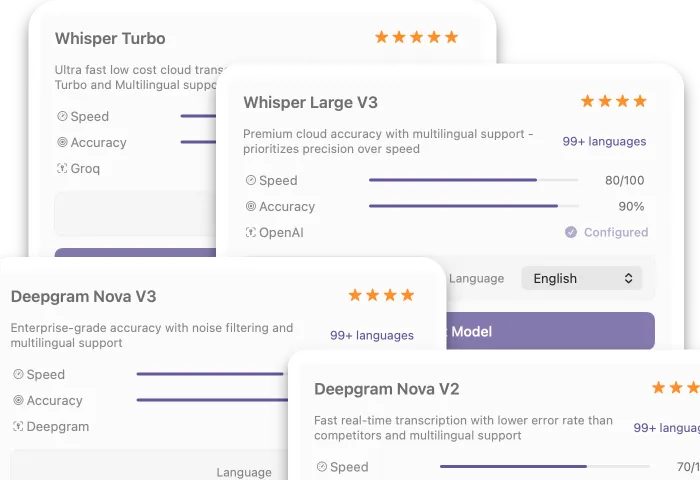
Access powerful cloud-based transcription models for maximum speed and accuracy. Simply connect your preferred AI provider and go.
Cloud
Cloud Models
Access powerful cloud-based transcription models for maximum speed and accuracy. Simply connect your preferred AI provider and go.
Cloud
Cloud Models
Access powerful cloud-based transcription models for maximum speed and accuracy. Simply connect your preferred AI provider and go.
Providers
Connect Providers
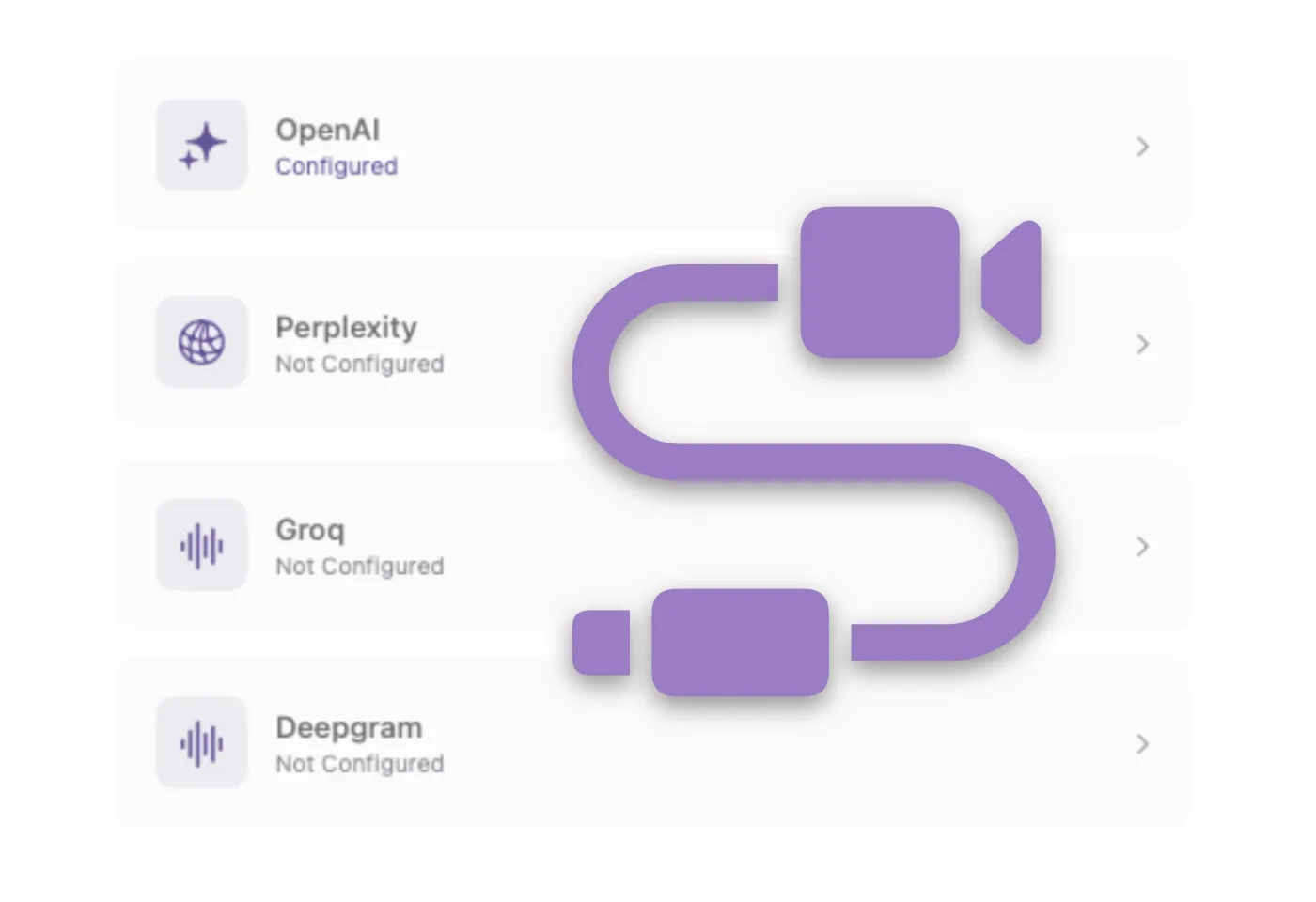
Link OpenAI, Groq, Deepgram, or Perplexity in seconds. Mix and match local and cloud models for Pro AI tools, to build your perfect setup.
Providers
Connect Providers
Link OpenAI, Groq, Deepgram, or Perplexity in seconds. Mix and match local and cloud models for Pro AI tools, to build your perfect setup.
Providers
Connect Providers
Link OpenAI, Groq, Deepgram, or Perplexity in seconds. Mix and match local and cloud models for Pro AI tools, to build your perfect setup.
All-in-one voice toolkit for your workflow.
Everything you need — styles, snippets, vibe coding tools, Perplexity research, analytics & beautiful themes. All voice-driven. All on-device.
Styles, Snippets & Dictionary
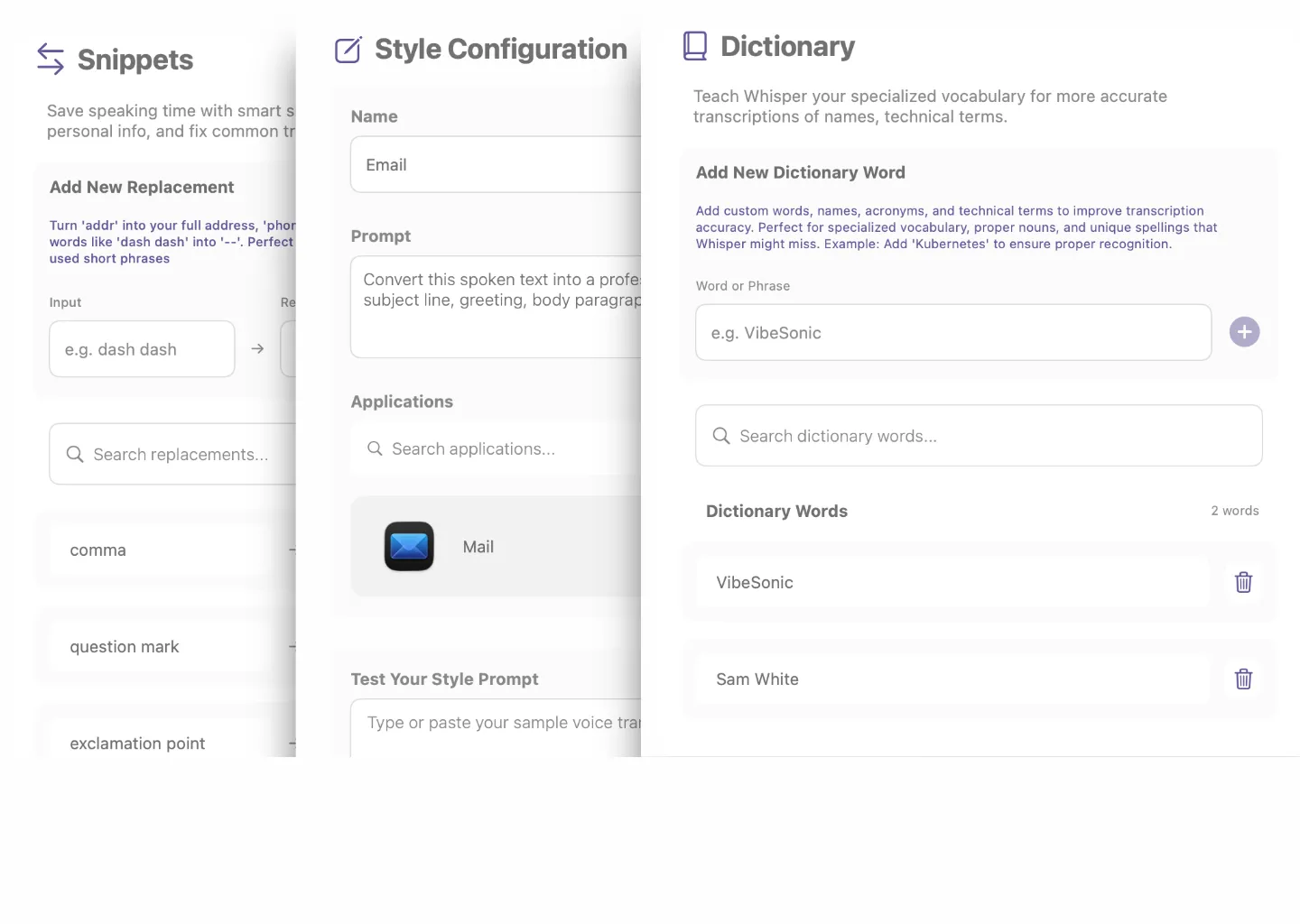
Custom app style profiles, voice-triggered snippets, and a personal dictionary that learns your language and shortcuts.
Vibe Coding Tools & AI Research
Native file path detection, project mapping, and built-in Perplexity web search — all accessible by voice mid-workflow.
Realtime Analytics & Beautiful Themes
Live activity tracking, daily word counts, and stunning light and dark themes that feel native to macOS.
Styles, Snippets & Dictionary
Custom app style profiles, voice-triggered snippets, and a personal dictionary that learns your language and shortcuts.
Vibe Coding Tools & AI Research
Native file path detection, project mapping, and built-in Perplexity web search — all accessible by voice mid-workflow.
Realtime Analytics & Beautiful Themes
Live activity tracking, daily word counts, and stunning light and dark themes that feel native to macOS.
Styles, Snippets & Dictionary
Custom app style profiles, voice-triggered snippets, and a personal dictionary that learns your language and shortcuts.
Vibe Coding Tools & AI Research
Native file path detection, project mapping, and built-in Perplexity web search — all accessible by voice mid-workflow.
Realtime Analytics & Beautiful Themes
Live activity tracking, daily word counts, and stunning light and dark themes that feel native to macOS.
Why VibeSonic is different?
Why VibeSonic is different?
Most voice tools do one thing well then leave you switching between apps. VibeSonic combines fast local transcription with AI edit commands, voice-triggered notes and tasks, built-in Perplexity research, and smart style profiles — all in one keyboard shortcut. Private, offline, no subscription.
Most voice tools do one thing well then leave you switching between apps. VibeSonic combines fast local transcription with AI edit commands, voice-triggered notes and tasks, built-in Perplexity research, and smart style profiles — all in one keyboard shortcut. Private, offline, no subscription.
Voice Notes & Task Management
AI Voice Workflow Commands
Private Offline or Cloud Models
Research, Snippets, Styles, Dictionary
No Subscription Lifetime License
Voice Notes & Task Management
AI Voice Workflow Commands
Private Offline or Cloud Models
Research, Snippets, Styles, Dictionary
No Subscription Lifetime License
Voice Notes & Task Management
AI Voice Workflow Commands
Private Offline or Cloud Models
Research, Snippets, Styles, Dictionary
No Subscription Lifetime License
Pricing
Choose the plan that fits your workflow.
Free
Everything you need to get started.
$0
Lifetime License
Free For Life
Unlimited transcription
2 Local Whisper Models
Voice Notes & Tasks
Snippets & Dictionary
Realtime Analytics
No Subscription
Pro
The complete voice workflow.
$19.95
Lifetime License
1 Device (Select more in checkout)
Everything in Free
Ultra Fast Parakeet TDT
AI Assistants & Inline Tools
All Whisper Models Unlocked
Cloud Models & Providers
Major Updates
Multi-Device
For all your Macs
2 Devices — $29.95
5 Devices — $69.95
10 Devices — $129.95
Still deciding?
Download free and upgrade to Pro anytime.
Free
Everything you need to get started.
$0
Lifetime License
Free For Life
Unlimited transcription
2 Local Whisper Models
Voice Notes & Tasks
Snippets & Dictionary
Realtime Analytics
No Subscription
Pro
The complete voice workflow.
$19.95
Lifetime License
1 Device (Select more in checkout)
Everything in Free
Ultra Fast Parakeet TDT
AI Assistants & Inline Tools
All Whisper Models Unlocked
Cloud Models & Providers
Major Updates
Multi-Device
For all your Macs
2 Devices — $29.95
5 Devices — $69.95
10 Devices — $129.95
Still deciding?
Download free and upgrade to Pro anytime.
Free
Everything you need to get started.
$0
Lifetime License
Free For Life
Unlimited transcription
2 Local Whisper Models
Voice Notes & Tasks
Snippets & Dictionary
Realtime Analytics
No Subscription
Pro
The complete voice workflow.
$19.95
Lifetime License
1 Device (Select more in checkout)
Everything in Free
Ultra Fast Parakeet TDT
AI Assistants & Inline Tools
All Whisper Models Unlocked
Cloud Models & Providers
Major Updates
Multi-Device
For all your Macs
2 Devices — $29.95
5 Devices — $69.95
10 Devices — $129.95
Still deciding?
Download free and upgrade to Pro anytime.
Join the community & help shape our roadmap.
and just
and just
for fun 👋😘
for fun 👋😘
FAQs
Got questions?
We’ve got answers.
Here’s everything you need to know before getting started.
Still have questions?
Contact us and we’ll help you out.
Still have questions?
Contact us and we’ll help you out.
1. Is my audio being recorded or sent anywhere?
By default, no. VibeSonic processes everything locally on your Mac — your audio never leaves your device and nothing is stored on our servers. If you choose to use optional cloud transcription models in Pro, audio is sent directly to that provider using your own API key. We never see it. You're always in control of which model you use, and local models work completely offline with zero data leaving your Mac.
2. I already use another voice tool — why would I switch?
Most voice tools do one thing and stop there. VibeSonic combines fast local transcription with voice-triggered notes, task management, AI edit commands, smart styles, and web research — all in a single keyboard shortcut. No switching between apps, no monthly subscription, and everything runs on your Mac.
3. Will it slow down my Mac?
No. VibeSonic uses Apple's Core ML framework, which means the AI models run natively on Apple Silicon — using the Neural Engine, not your CPU. Transcription is near real-time with minimal battery or performance impact, even on MacBook.
4. What happens if I need it on more than one Mac?
Pro licenses cover the number of devices you choose — 1, 2, 5, or 10. All one-time payments, no subscription. Your data is stored locally on each machine so your notes and tasks stay separate per device.
5. What's actually included — is Free really free?
Yes. The Free tier includes unlimited transcription, voice notes and tasks, snippets, custom dictionary, and your activity dashboard — with no time limit and no credit card required. Pro adds AI assistants, Parakeet TDT, all Whisper models, cloud transcription, and smart styles. Pro AI features use your own provider accounts and API keys, so you stay in control of cost and data. Download free first and upgrade only if you want the AI features.
1. Is my audio being recorded or sent anywhere?
By default, no. VibeSonic processes everything locally on your Mac — your audio never leaves your device and nothing is stored on our servers. If you choose to use optional cloud transcription models in Pro, audio is sent directly to that provider using your own API key. We never see it. You're always in control of which model you use, and local models work completely offline with zero data leaving your Mac.
2. I already use another voice tool — why would I switch?
Most voice tools do one thing and stop there. VibeSonic combines fast local transcription with voice-triggered notes, task management, AI edit commands, smart styles, and web research — all in a single keyboard shortcut. No switching between apps, no monthly subscription, and everything runs on your Mac.
3. Will it slow down my Mac?
No. VibeSonic uses Apple's Core ML framework, which means the AI models run natively on Apple Silicon — using the Neural Engine, not your CPU. Transcription is near real-time with minimal battery or performance impact, even on MacBook.
4. What happens if I need it on more than one Mac?
Pro licenses cover the number of devices you choose — 1, 2, 5, or 10. All one-time payments, no subscription. Your data is stored locally on each machine so your notes and tasks stay separate per device.
5. What's actually included — is Free really free?
Yes. The Free tier includes unlimited transcription, voice notes and tasks, snippets, custom dictionary, and your activity dashboard — with no time limit and no credit card required. Pro adds AI assistants, Parakeet TDT, all Whisper models, cloud transcription, and smart styles. Pro AI features use your own provider accounts and API keys, so you stay in control of cost and data. Download free first and upgrade only if you want the AI features.
1. Is my audio being recorded or sent anywhere?
By default, no. VibeSonic processes everything locally on your Mac — your audio never leaves your device and nothing is stored on our servers. If you choose to use optional cloud transcription models in Pro, audio is sent directly to that provider using your own API key. We never see it. You're always in control of which model you use, and local models work completely offline with zero data leaving your Mac.
2. I already use another voice tool — why would I switch?
Most voice tools do one thing and stop there. VibeSonic combines fast local transcription with voice-triggered notes, task management, AI edit commands, smart styles, and web research — all in a single keyboard shortcut. No switching between apps, no monthly subscription, and everything runs on your Mac.
3. Will it slow down my Mac?
No. VibeSonic uses Apple's Core ML framework, which means the AI models run natively on Apple Silicon — using the Neural Engine, not your CPU. Transcription is near real-time with minimal battery or performance impact, even on MacBook.
4. What happens if I need it on more than one Mac?
Pro licenses cover the number of devices you choose — 1, 2, 5, or 10. All one-time payments, no subscription. Your data is stored locally on each machine so your notes and tasks stay separate per device.
5. What's actually included — is Free really free?
Yes. The Free tier includes unlimited transcription, voice notes and tasks, snippets, custom dictionary, and your activity dashboard — with no time limit and no credit card required. Pro adds AI assistants, Parakeet TDT, all Whisper models, cloud transcription, and smart styles. Pro AI features use your own provider accounts and API keys, so you stay in control of cost and data. Download free first and upgrade only if you want the AI features.